Build an .ipa file with gym in Fastlane
Archiving and building your app is time consuming, but with fastlane’s gym action, you can automatically generate a signed .ipa file to distribute your app.
In the terminal, execute:
fastlane gym init
fastlane will create a Gymfile for you. Open the Gymfile and add the following:
# App scheme name
scheme("ToDo")
#provide provisioning profiles to use
export_options({
   method: "app-store",
   provisioningProfiles: {
     "com.devplanet.todo" => "match AppStore com.devplanet.todo",
        }
})
# Specify the path to store .ipa file
output_directory("./fastlane/builds")
# Excludes bitcode from the build
include_bitcode(false)
# Excludes symbols from the build.
include_symbols(false)
When building your app for TestFlight or the App Store, you must increment the build number each time. To automate this, enable Apple Generic Versioning by changing the app versioning settings:
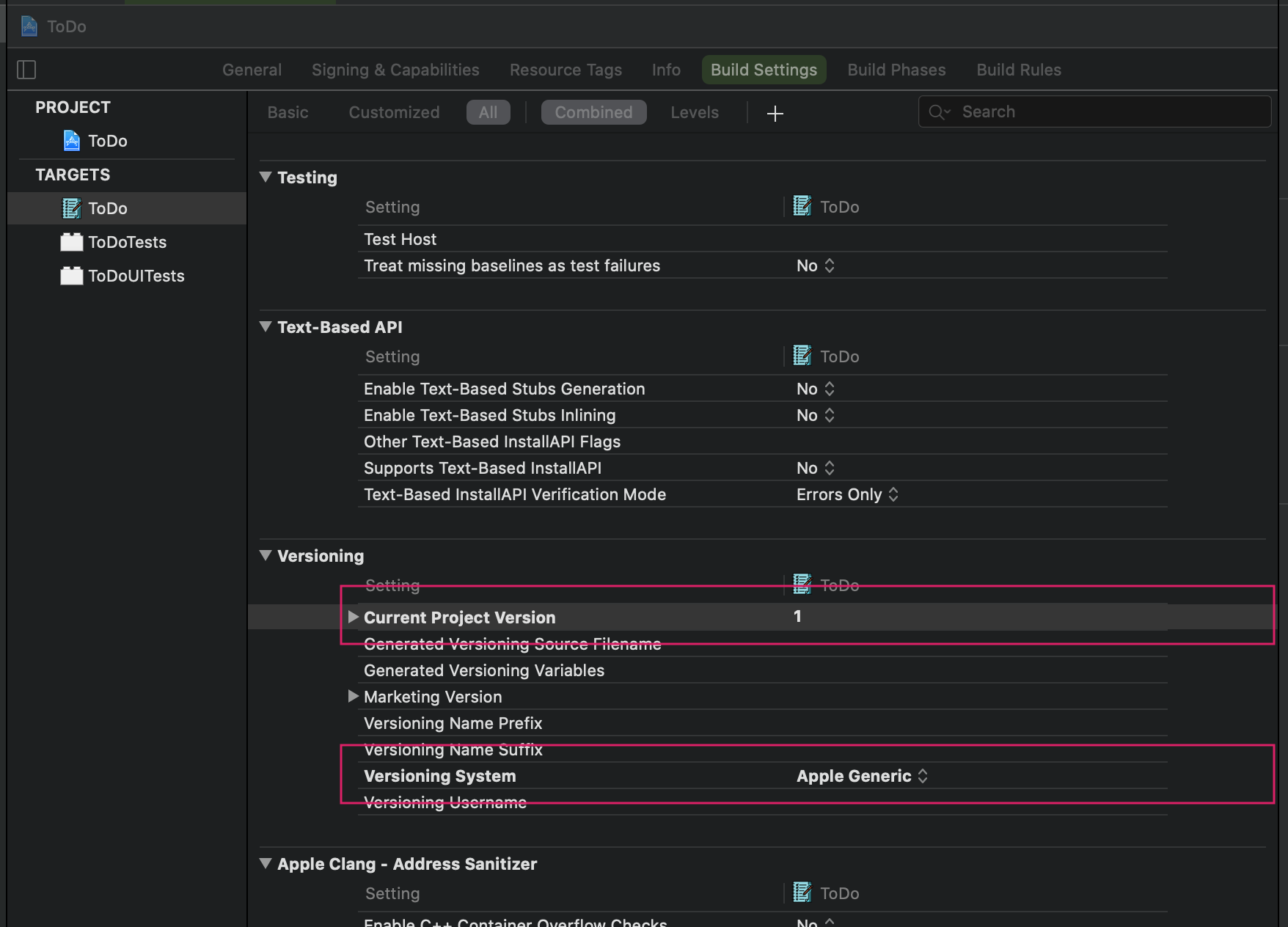
Open the Fastfile and add the following lane to create an .ipa:
desc "Create ipa"
 lane :build do
   #update profiles
   sync_certificates
   # Increases the build number by 1
   increment_build_number
   # Creates a signed file
   gym
 end
Before building the app, disable automatic code signing and select the correct Provisioning profile in Xcode:
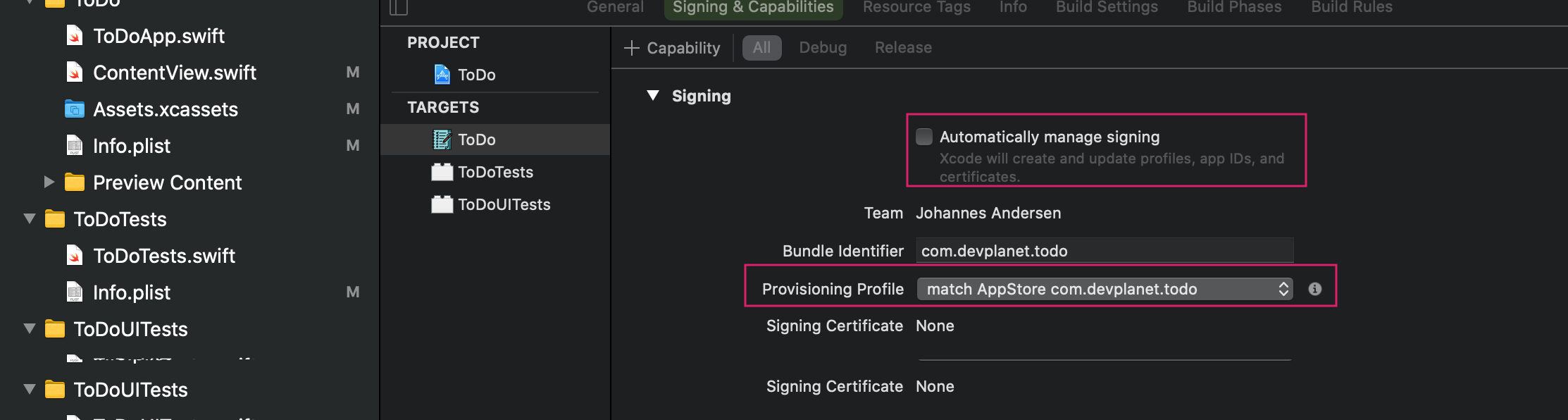
Note that you can also do this using the update_code_signing_settings fastlane action.
Now you’re ready to run fastlane build in your terminal.
Once you get the message that the build is completed, you can find the .ipa file in the fastlane/builds directory.